


A furniture product page usually works best with 6-8 photos and a short video: a packshot on white, two or three lifestyle photos in different interiors, a photo with people that shows scale, a photo with dimensions, a close-up of the material and photos of the piece’s versions, such as a sofa unfolded into a bed. If the piece comes in several colours, each colour should have its own photos. Below you’ll find every type of photo in gallery order, and a complete set for one sofa created in Sopla.app.
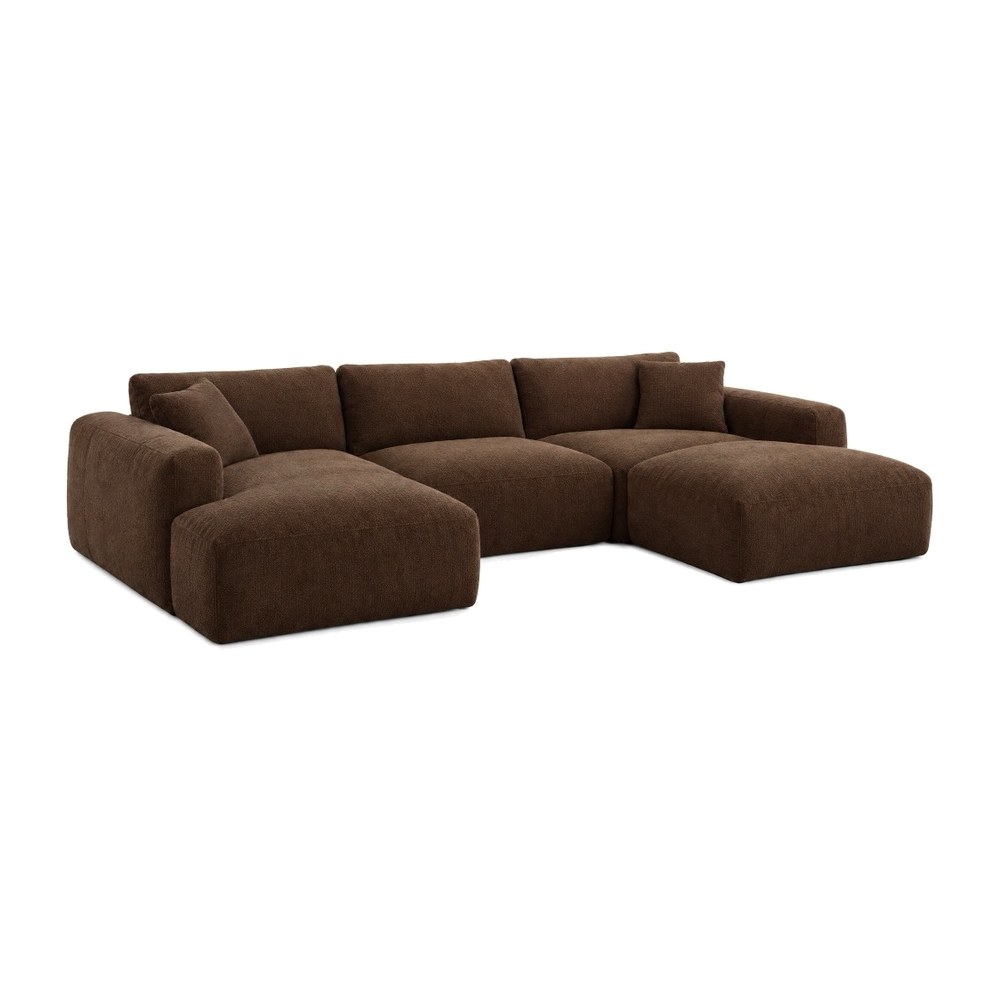 PACKSHOT
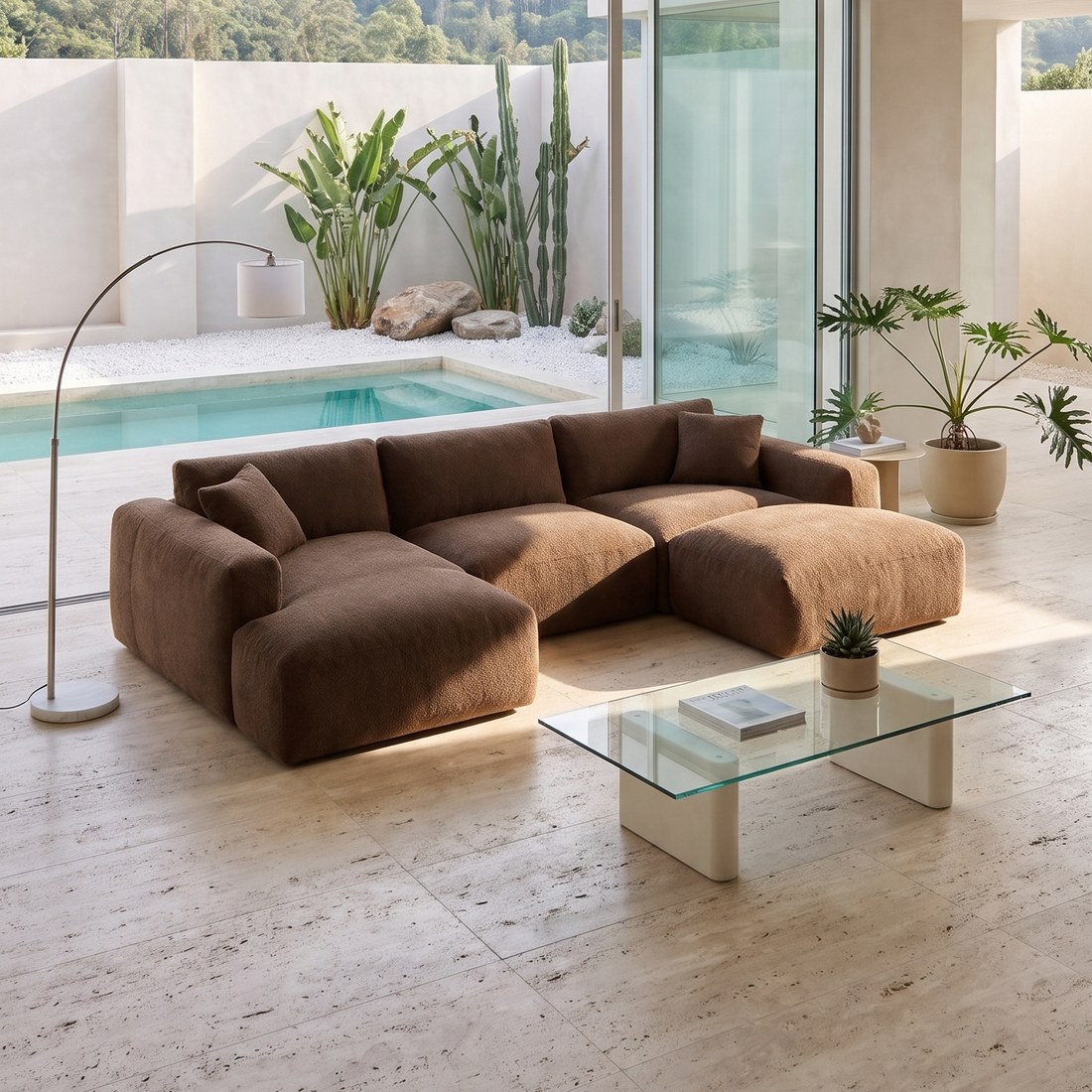 MODERN
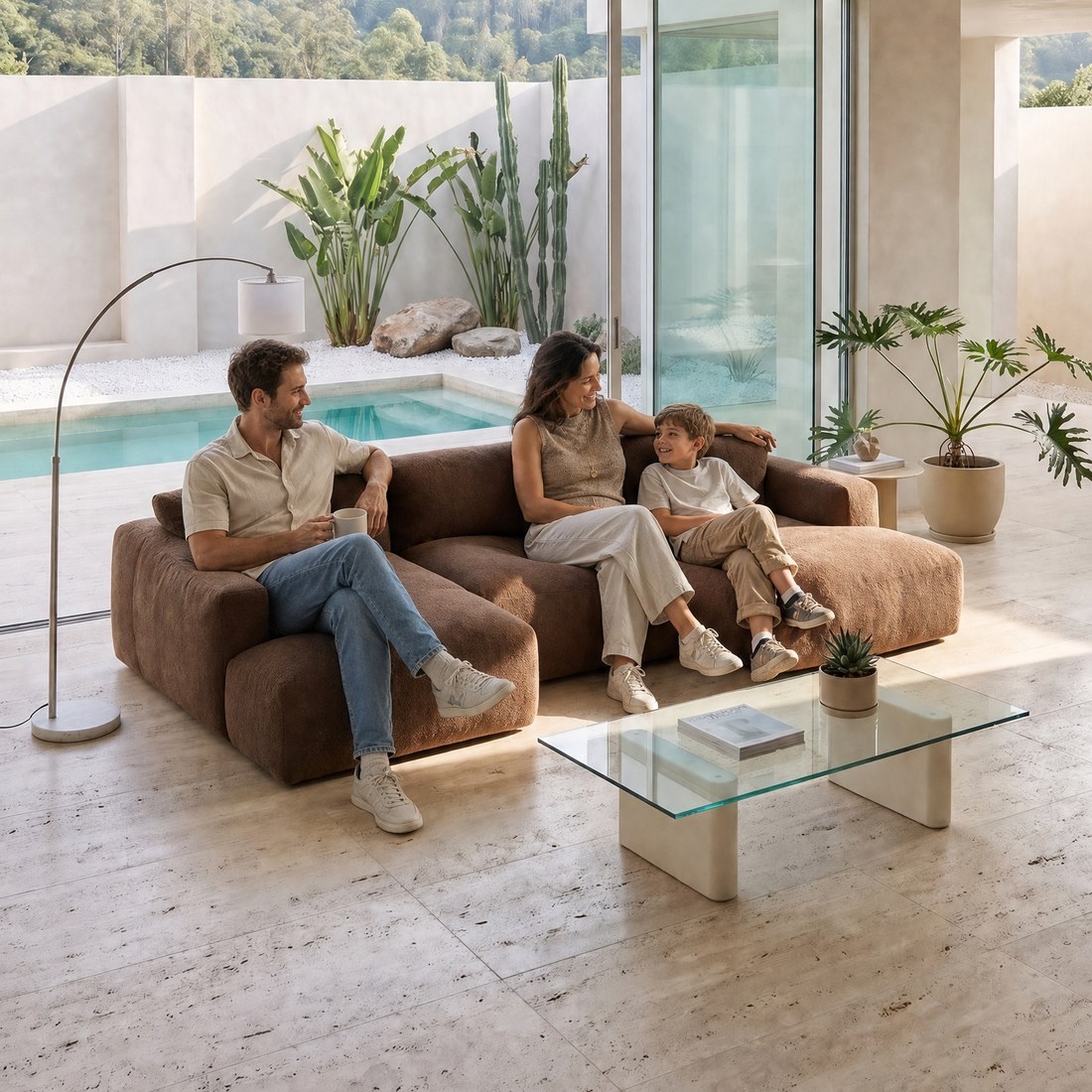 FAMILY
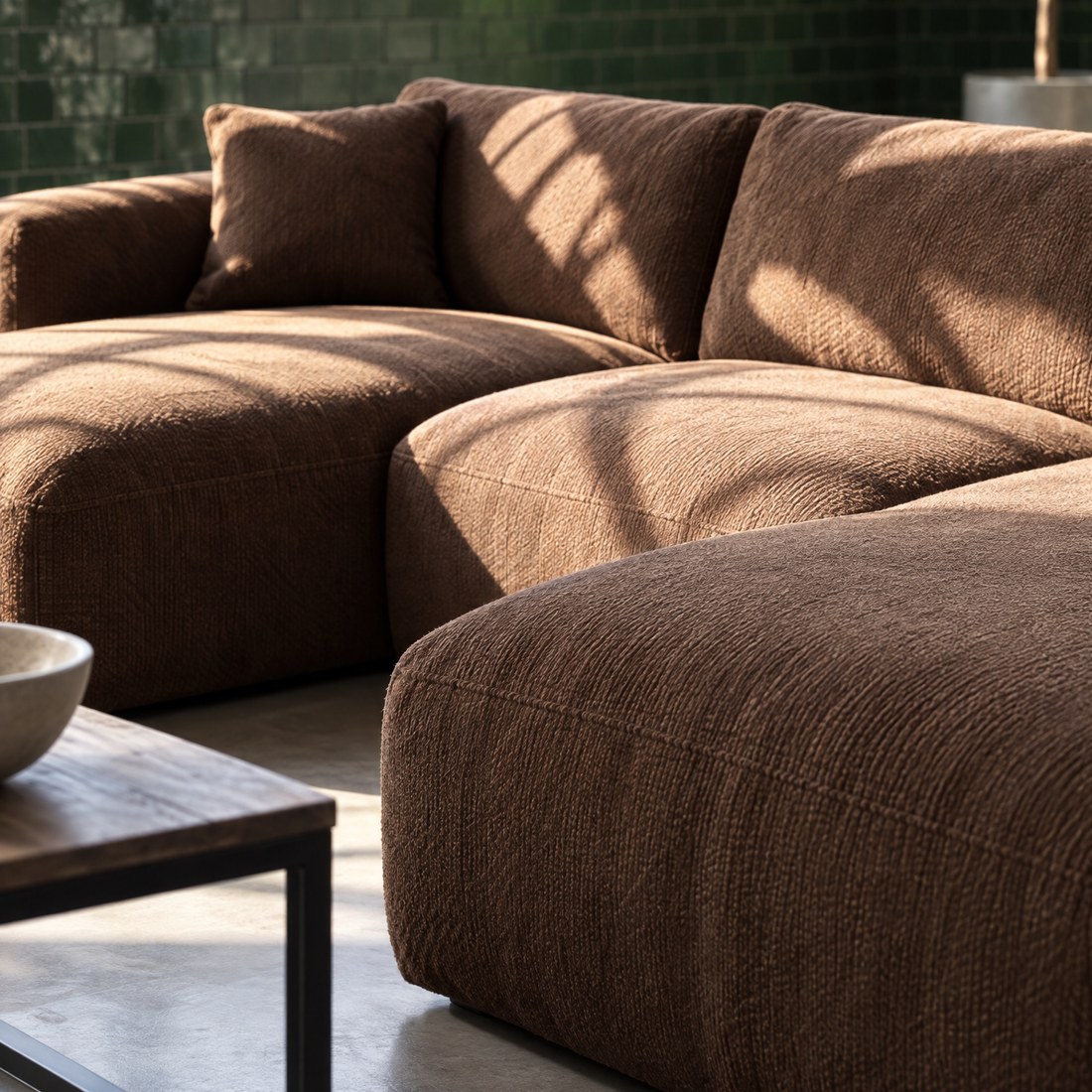 ZOOM
Why photos decide a furniture purchase
You can’t touch or measure furniture online, so shoppers look for answers in the photos. In Baymard Institute’s 2024 research, 79% of participants shopping for furniture and home decor started by looking at the photos on the product page, compared with an average of 46% on sites selling other products.
Shoppers look for several answers in the photos at once: what the piece looks like, whether it suits their home, whether it will fit and what it’s made of. In Baymard’s 2026 survey of 1,598 US shoppers, the most useful information for judging whether furniture will fit was dimensions in the description (49%) and photos with dimensions (42%), followed by customer photos and lifestyle photos (38% each).
One or two photos can’t answer all of that. Baymard found that many sites show too few photos and too few types of shot, and that participants did better on sites with plenty of photos that each showed something different.
Which photos a furniture product page should show
Each photo in the gallery answers one question a shopper has. This is the full set:
| Photo | Question it answers | How many | How to create it in Sopla |
|---|---|---|---|
| Packshot on white | What does the piece look like? | 1 | A packshot from a photographer or the PACKSHOT style |
| Other sides | What does it look like from the side and back? | 1-2 | Packshots from other sides or the ANGLE edit |
| Lifestyle photos | Will it suit my home? | 2-3 | Interior styles or your own interior |
| Photo with people | How big is it? | 1 | ADD PEOPLE |
| Dimensions | Will it fit in my room? | 1 | DIMENSIONS |
| Close-up | What is it made of? | 1-2 | ZOOM |
| Versions and functions | How does it unfold, open, what’s inside? | One per function | VARIANT |
| Colours | What does it look like in my colour? | A set per colour | COLOR, MATERIAL or VARIANT |
| Video | What does it look like in motion and in the room? | 1 | MAKE VIDEO |
Not every piece needs every type. A chair has no sleeper version, and a chest of drawers in one colour doesn’t need variant photos. A simple piece is fine with 6 photos, while a corner sofa in four colours needs a dozen or more.
The order of photos in the gallery
Shoppers see the first photos in the product list and in the gallery preview, so the most important answers go first:
- Main photo. A packshot or a lifestyle photo, but the same type across the whole category: packshots and lifestyle photos mixed side by side in a product list look messy. On marketplaces the main photo is usually a packshot on white, as we explain in Furniture photos for Amazon, Wayfair and other marketplaces.
- Your best lifestyle photo. The piece in an interior your customers will like.
- Photo with people. It shows the size of the piece straight away.
- Dimensions. The answer to whether it will fit.
- Close-up of the material.
- Other sides and a second lifestyle photo.
- Versions and functions: the sofa unfolded, the storage open, the table extended.
- Video, if your shop lets you add it to the gallery.
Lifestyle photos: two or three different interiors
One lifestyle photo shows the piece in one interior. Someone with a bright Scandinavian flat won’t always picture a sofa from a dark industrial loft in their home. Two or three lifestyle photos in different styles let every shopper find an interior close to their own.
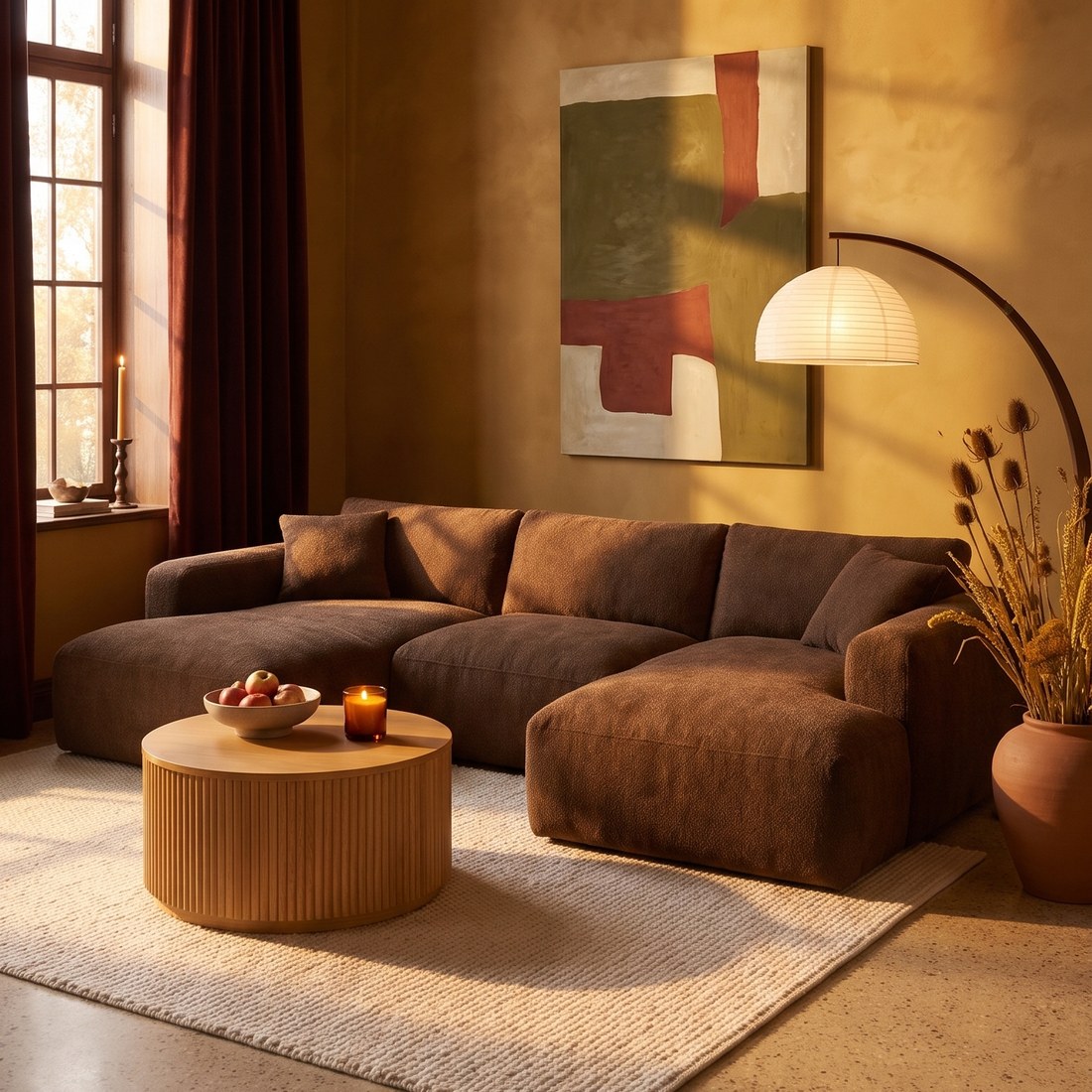 AUTUMN
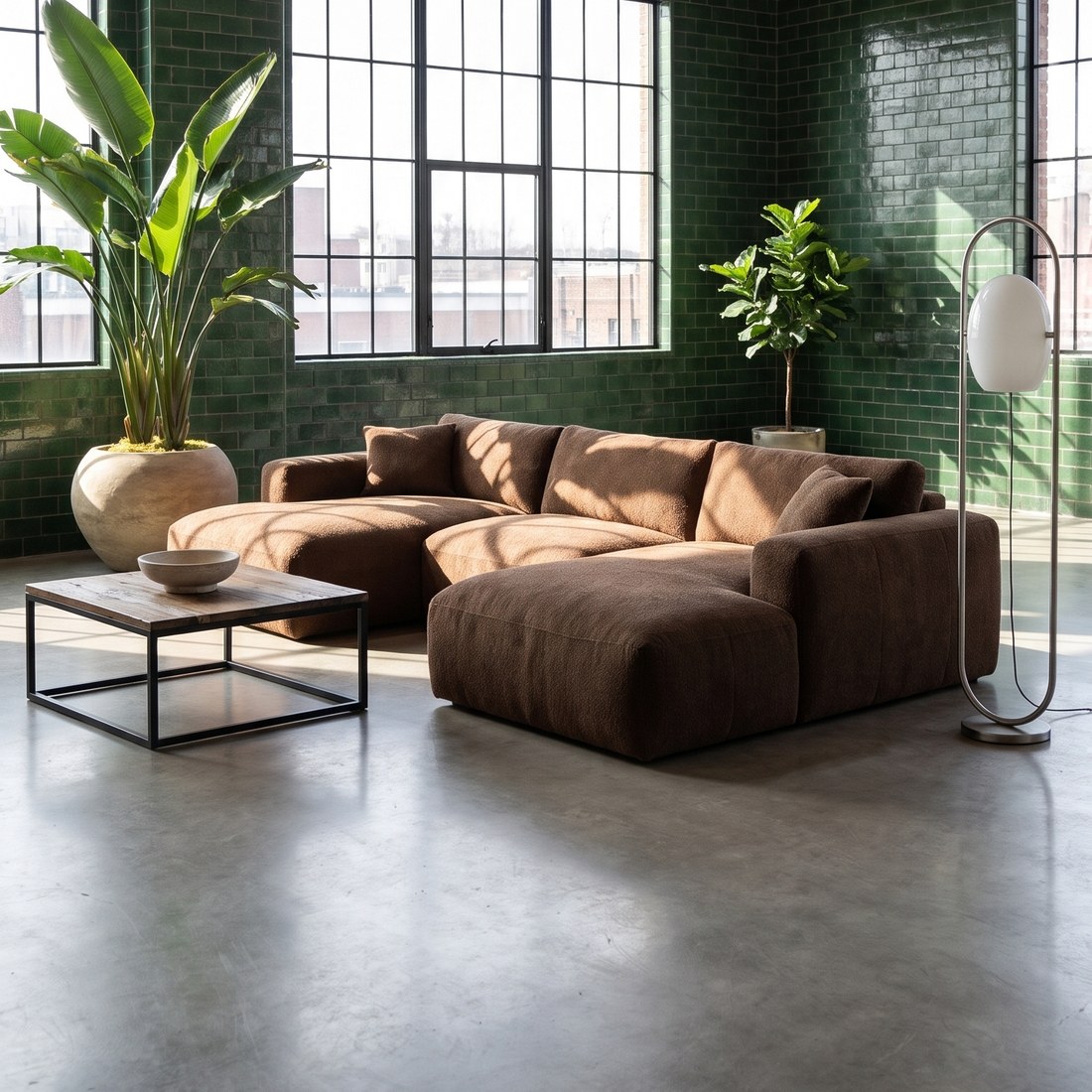 INDUSTRIAL
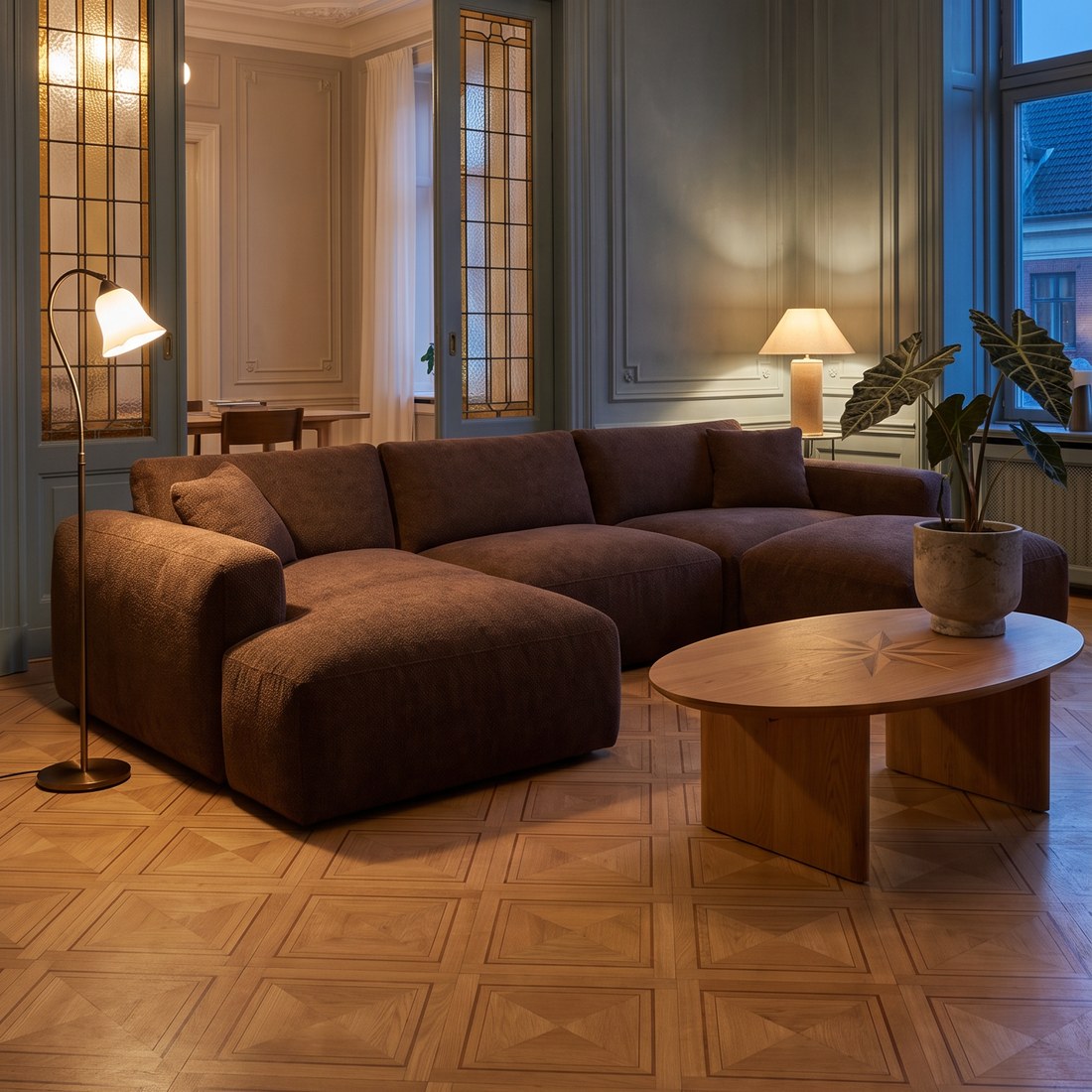 OLDTOWN
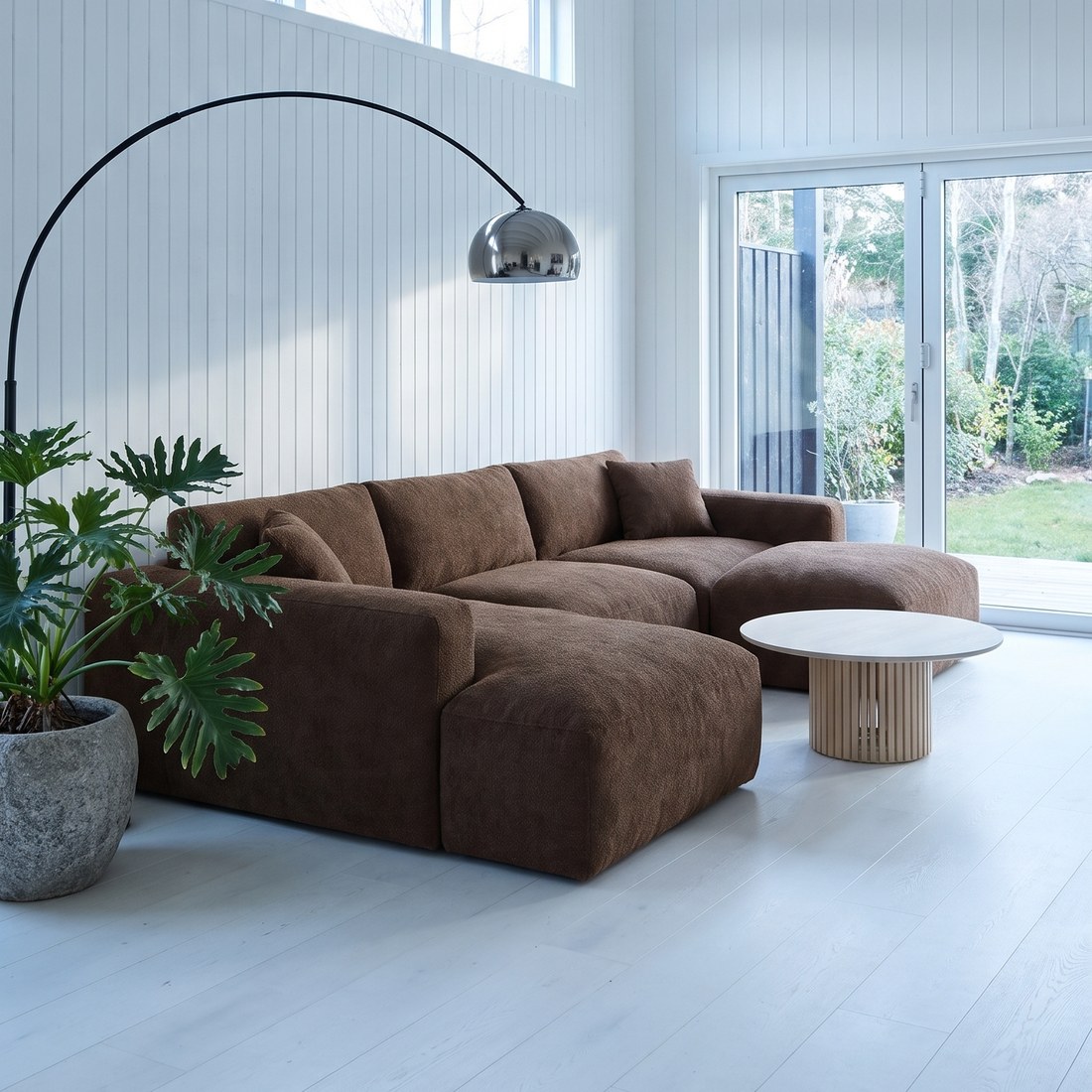 SCANDINAVIAN
In Sopla you upload a packshot, choose one or more styles and create up to 5 photos at once (10 credits per photo). If all your products should stand in the same room, save that interior once and choose it instead of a style. Compare each photo with the packshot: in most photos the piece is the same, but the angle or a detail can differ. If that happens, create the photo again with the same settings. The whole process is in our guide to furniture lifestyle photos from a packshot.
A photo with people shows scale
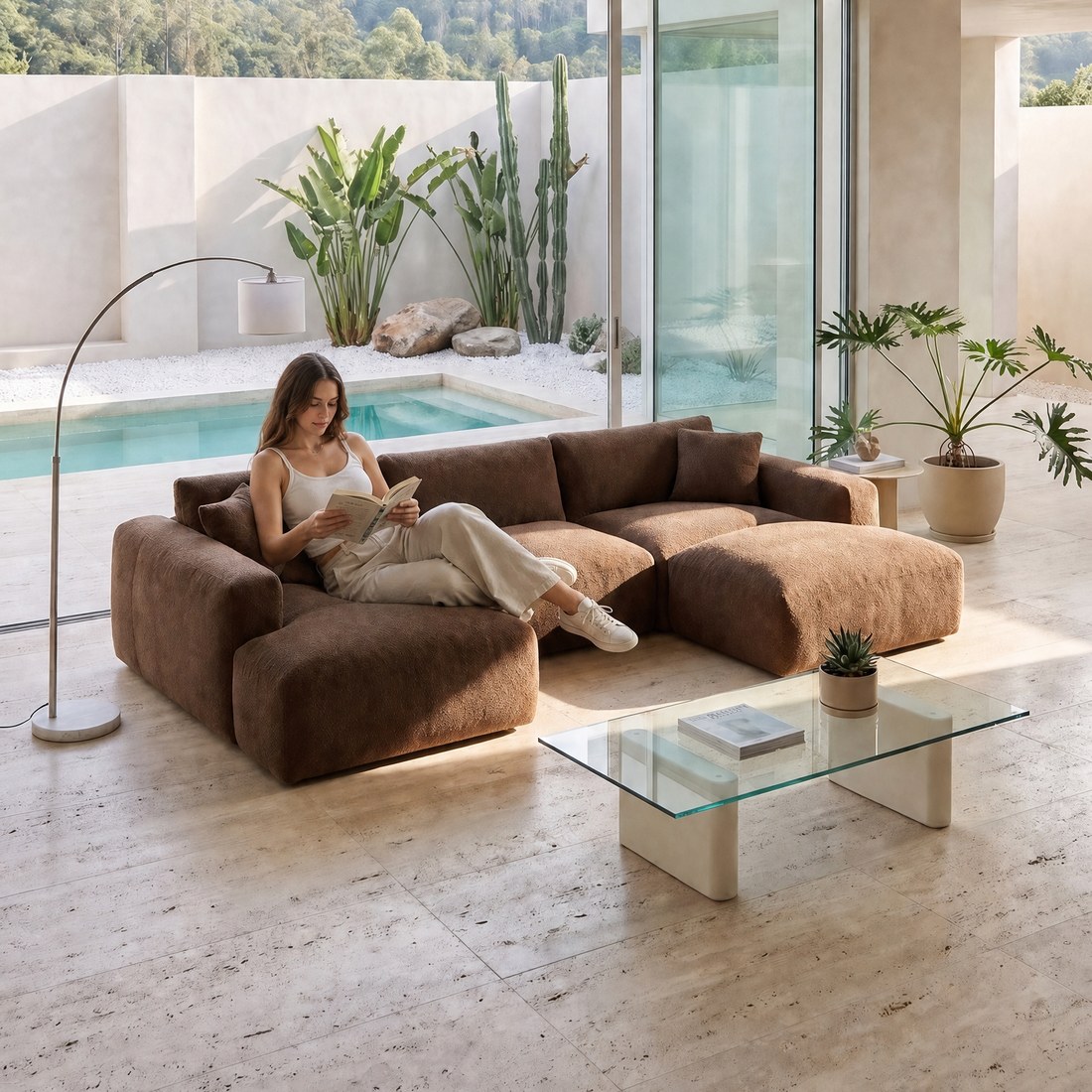
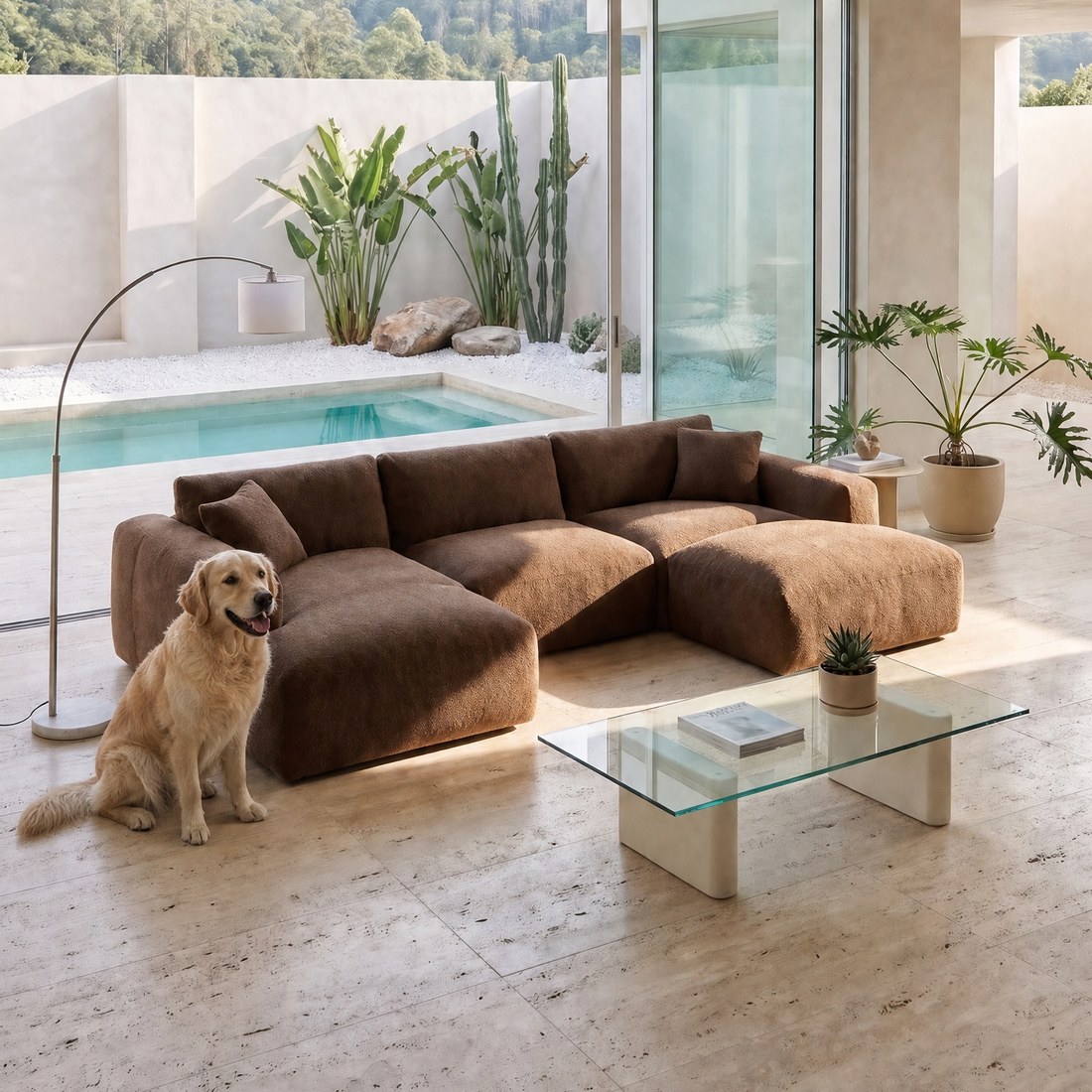
The numbers in the description say how many centimetres the piece measures, but only a person next to it shows how big it really is: whether the whole family fits on the sofa, or whether the armchair is too low. Baymard calls these “In Scale” photos and recommends them on furniture product pages.
 GIRL
 DOG
Open a finished lifestyle photo, click ADD PEOPLE and choose one of 13 scenes, such as FAMILY, GIRL, FRIENDS or DOG (10 credits). Sopla adds people to the same room, and the sofa and framing stay unchanged.
Dimensions and close-ups
A photo with dimensions answers the question furniture shoppers ask most: will it fit in my room? Open a packshot and click DIMENSIONS: you draw dimension lines on the photo, type the numbers, and Sopla adds the unit. You download the file with DOWNLOAD WITH DIMENSIONS, at no cost in credits. We show it step by step in the guide to furniture photos for marketplaces.
A close-up shows what you can’t see in a photo of the whole piece: the weave of the fabric, the wood grain, the stitching, the handles. On a finished photo, click ZOOM and select the part that should fill the frame (5 credits). 2K photos also let shoppers zoom in on the product page, which Baymard found they expect on every furniture photo.
Versions and functions
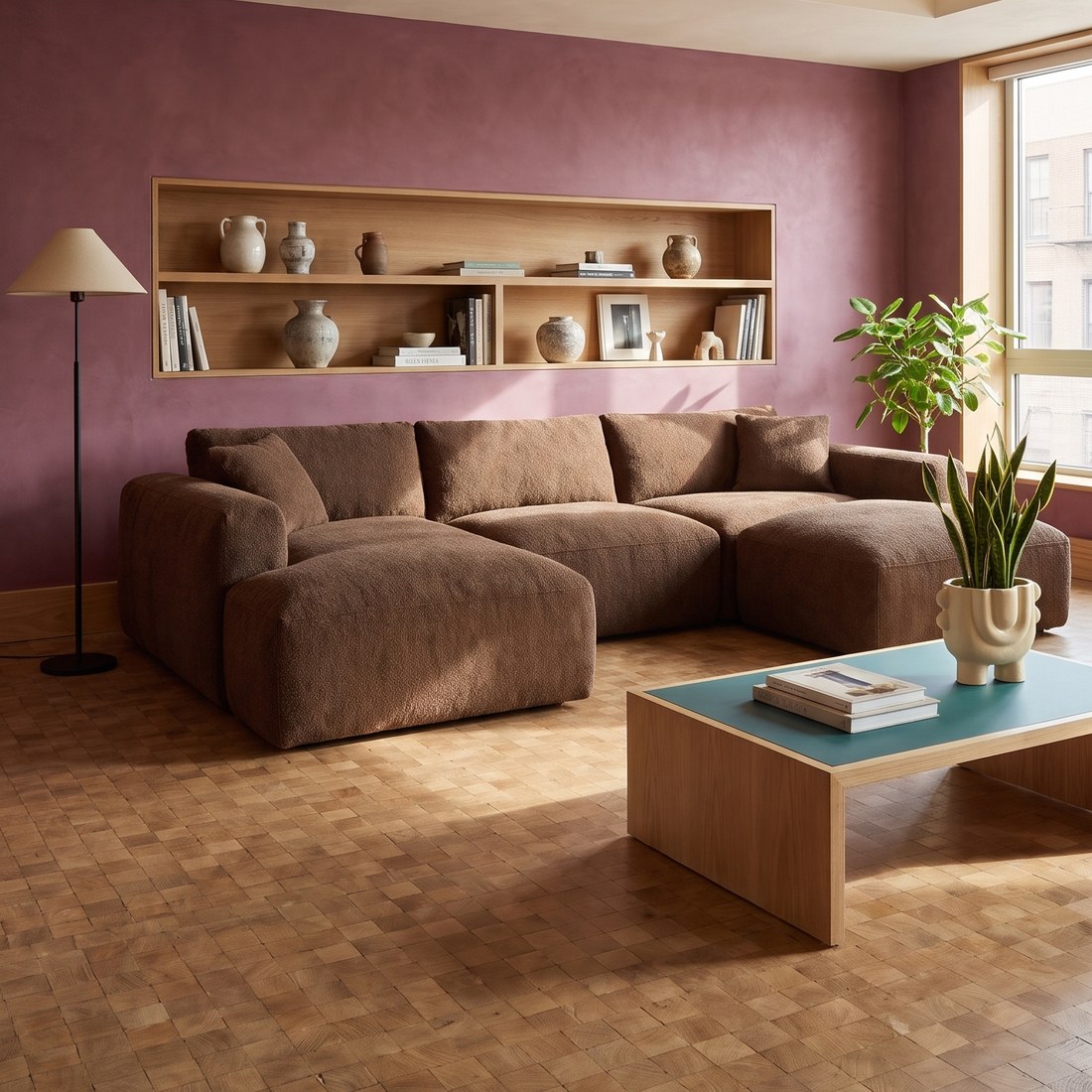
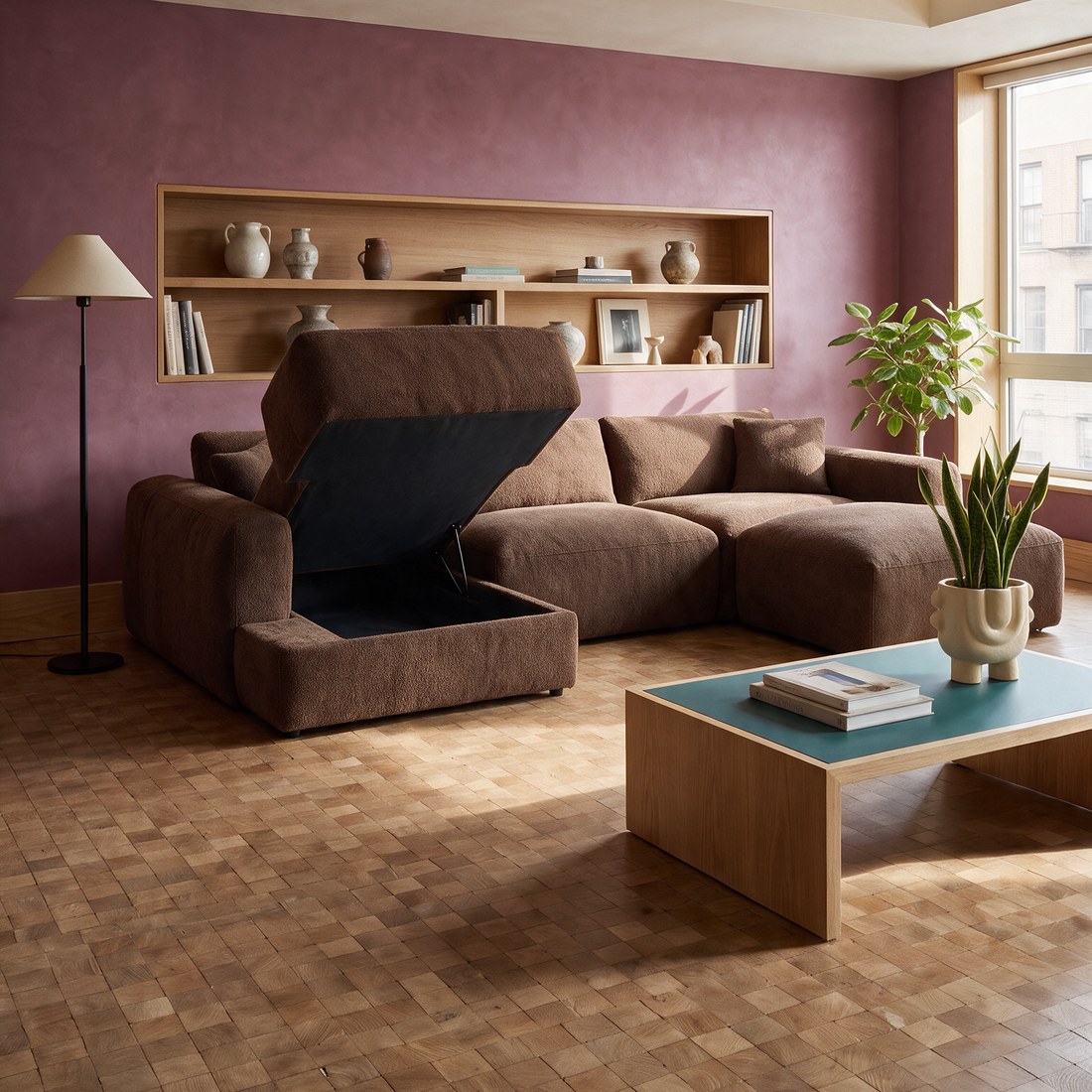
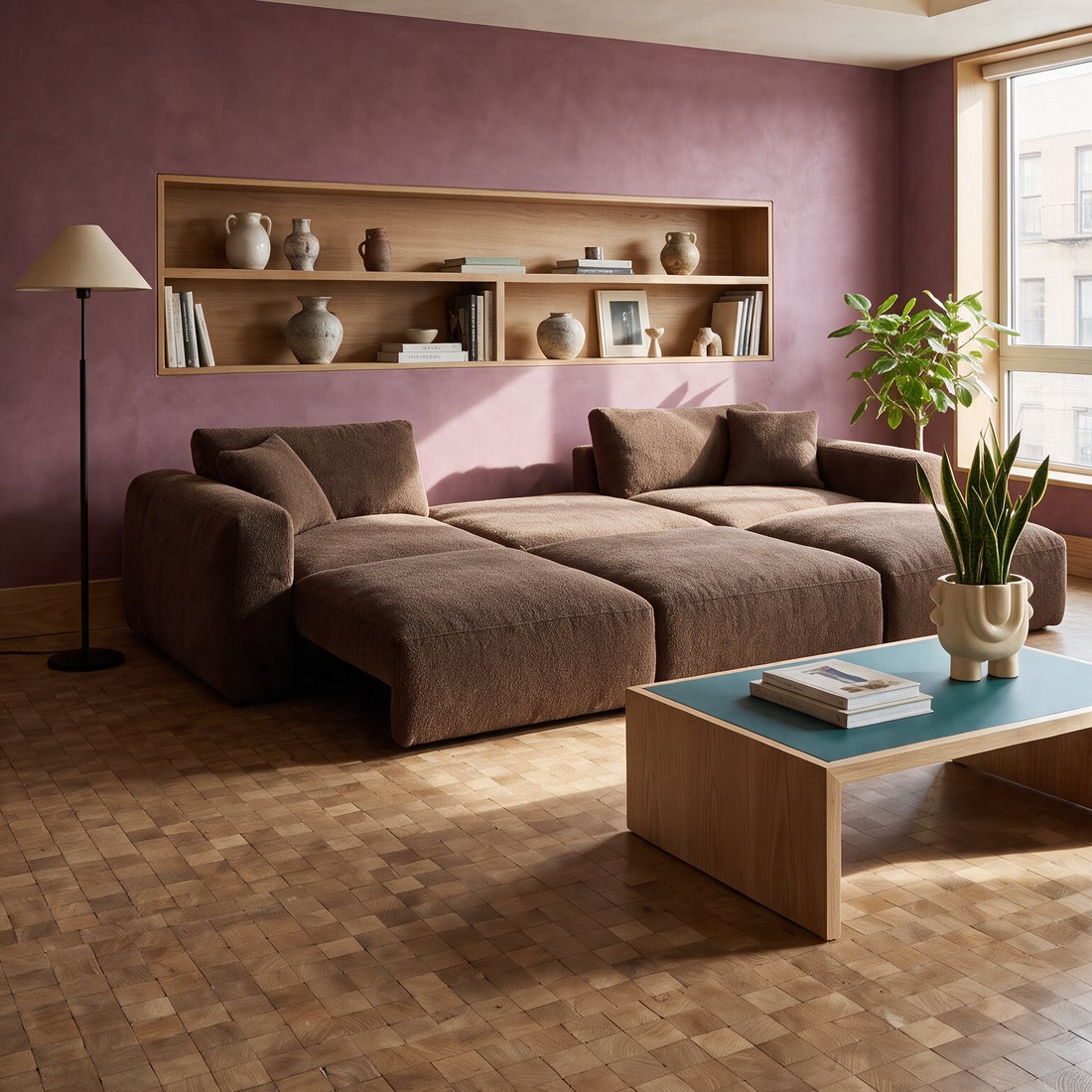
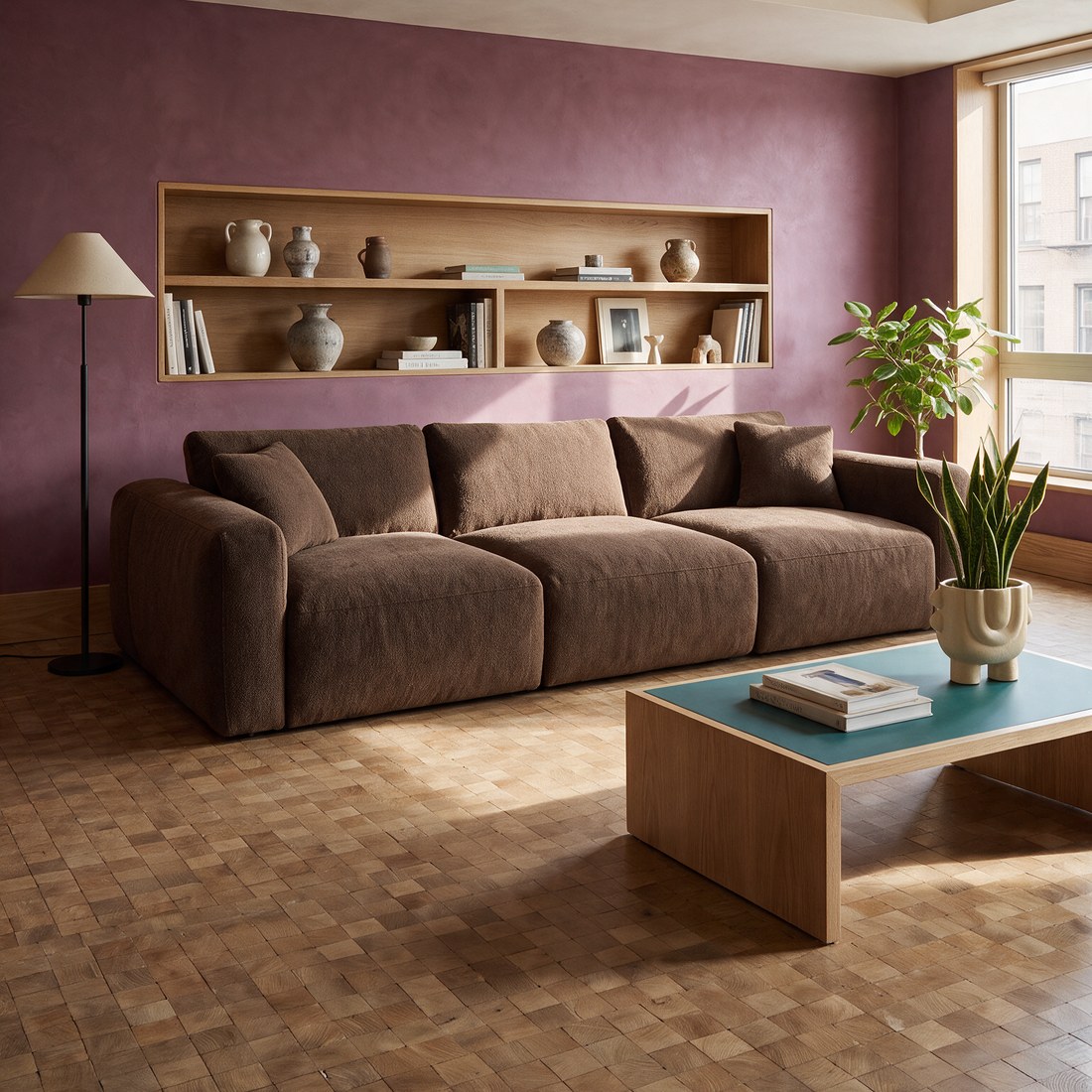
A sofa bed, a chaise with storage, an extending table: shoppers want to see the piece in every state before they pay for the function. The VARIANT edit changes the piece on a finished photo and keeps the same room, framing and angle.
 ORIGINAL
 OPEN STORAGE
 UNFOLDED
 ANOTHER MODEL
On a finished photo, click VARIANT and upload a photo of the piece in another version, for example a packshot of the unfolded sofa. Sopla checks the photo, recognises the piece and its state, and then creates a new photo in the same room (5 credits).
Colours and materials: each with its own photos
When a shopper picks a colour on the product page, the gallery should show the piece in that colour. Photos in one colour only, with a small fabric swatch next to them, raise doubts: in Baymard’s research one participant put off a purchase for several weeks because she wasn’t sure the colour in the photo matched the swatch.
Each colour should have at least a packshot and one lifestyle photo. Sopla gives you three ways to create them:
- COLOR: up to 5 colours at once, from the RAL palette or as a HEX code, each colour as a separate photo in the same framing.
- MATERIAL: up to 5 materials at once, with a pattern scale of your choice.
- VARIANT: when you have a photo of the piece in another fabric, Sopla transfers that finish onto the finished photo. It’s the best option when the colour has to match the real fabric.
Each of these edits costs 5 credits per photo. Compare the colour in the photo with the swatch. For a tricky shade, create the photo again or use the VARIANT edit with a photo of the real fabric.
Video on the product page
In a short video the camera moves around the piece, so shoppers see it from several sides and how much space it takes up in the room. On a finished photo, click MAKE VIDEO and choose a format: one 5-second shot (10 credits) or a 10-second one (15 credits), three 5-second shots (20 credits) or a video with people. Videos are 1080p, so they work on the product page, in reels and in ads.
What a full set for one sofa costs
| What you create | Credits |
|---|---|
| Packshot on white (PACKSHOT style) | 10 |
| 3 lifestyle photos in different styles | 30 |
| Photo with people (ADD PEOPLE) | 10 |
| Photo with dimensions (DIMENSIONS) | 0 |
| 2 close-ups (ZOOM) | 10 |
| 2 versions of the sofa (VARIANT) | 10 |
| 4 extra colours (COLOR) | 20 |
| Video, one 5-second shot | 10 |
| Total | 100 |
The START plan (200 credits a month) covers two such sets. If you already have a packshot from a photographer, take off 10 credits. Plans differ only in the number of credits, and each includes all styles and features. See the plans.
A whole collection in one order
A furniture shop usually has dozens of products, and each one needs its own set. A few things speed up the work:
- Photo batch: upload many packshots at once, Sopla recognises the type of each piece, and you set styles and ratios for the whole group. Details in our guide to the furniture photo batch.
- Your own interior: save a room once and place more pieces in it. All your product pages then have consistent photos.
- Packshots from other sides: upload photos of the back and side of the piece in the photo creator, and Sopla reproduces its shape more accurately in lifestyle photos. How to prepare a packshot is covered in Furniture packshot.
Frequently asked questions
How many photos should a furniture product page show?
Usually 6-8 photos and a short video: a packshot, two or three lifestyle photos, a photo with people, dimensions and a close-up of the material. A piece with functions or in several colours needs more, because each version and each colour has its own photos.
Should the first photo be a packshot or a lifestyle photo?
Both work, as long as the first photo is the same type across the whole category. On marketplaces the main photo is usually a packshot on white, while many brands open with a lifestyle photo in their own shop.
Why add a photo with people to a product page?
It shows scale better than numbers. Shoppers see straight away whether a family fits on the sofa or whether a table is high enough. In Sopla you create one with ADD PEOPLE on a finished photo, for 10 credits.
How do I show furniture dimensions in a photo?
Draw dimension lines on the packshot and type the numbers. In Sopla the DIMENSIONS feature does this: it adds the unit itself, and you download the file in full resolution at no cost in credits.
Does every colour need its own photos?
Ideally yes: at least a packshot and one lifestyle photo in each colour. Shoppers choose a colour and want to see the piece in exactly that colour. With the COLOR edit you can create up to 5 colours at once in the same framing.
Is it worth adding a video to a furniture product page?
Yes, if your shop lets you add it to the gallery. A video shows the piece from several sides and its size in the room. In Sopla it’s created from a finished photo, from 10 credits for 5 seconds.
What resolution do product page photos need?
High enough for zoom to work. Photos from Sopla are 2K as standard, which means at least 2048 px on the longer side.
Does the furniture in Sopla photos look the same as in the packshot?
In most photos yes, because Sopla creates them from your packshot. Sometimes the angle of the piece or a detail changes, so compare each photo with the packshot before adding it to your shop.
Create a full set of product page photos from one packshot.